
✦ All Features / Multilingual Polls
Include everyone’s voice with Multilingual Polls
Empower your audience to vote and respond in their language with our poll translation. This feature translates questions and motions into 100+ languages for all your mobile, in-person, virtual, or hybrid events.

Create polls in advance and on the fly
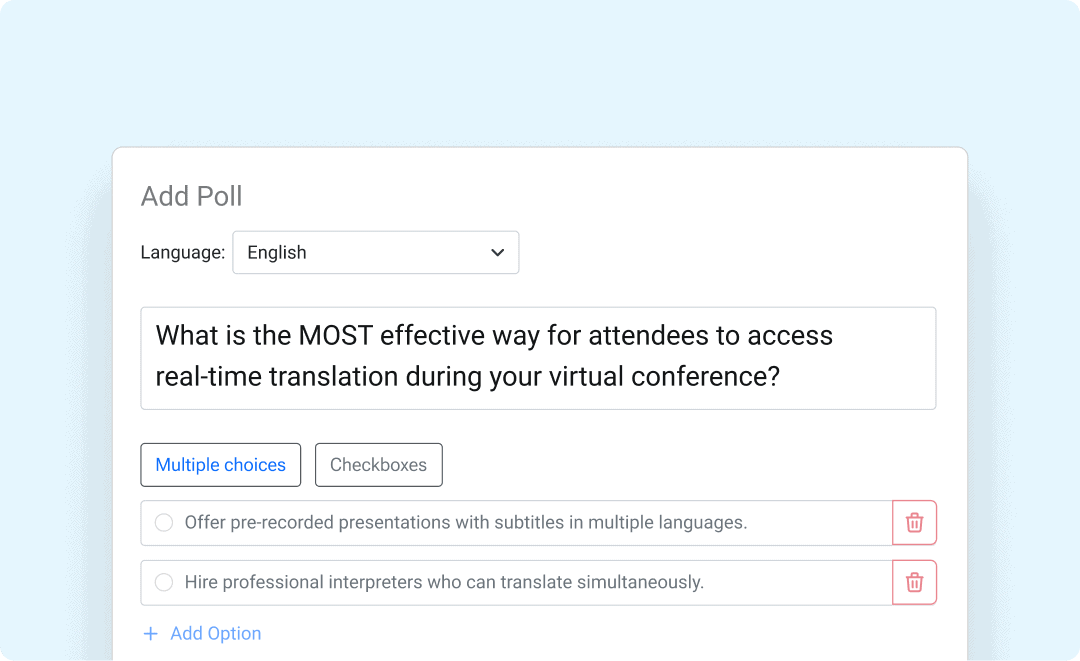
Creating a poll is as easy as a few clicks. Simply write your question/motion, provide response options, edit the automatic translations if you want, and you’re ready to go. It’s so easy you can do it live!

Vote in any language, device, and location

Empower everyone to vote in their language and have their voice heard. People can see questions, motions, and options in their native language and submit their votes wherever they are using their mobile, tablet, or desktop.

Easily view results across languages
View the results of your polls broken down by language to gain insights into the unique needs of different groups of people.
Get fast and easy poll translation
Translate polls in multiple formats: Create your poll, translate it to more than 100 languages, and edit the translations to perfection. Use a multiple-choice poll to let participants vote for one option and checkboxes to vote for more than one option.
Make your voting meetings accessible to everyone
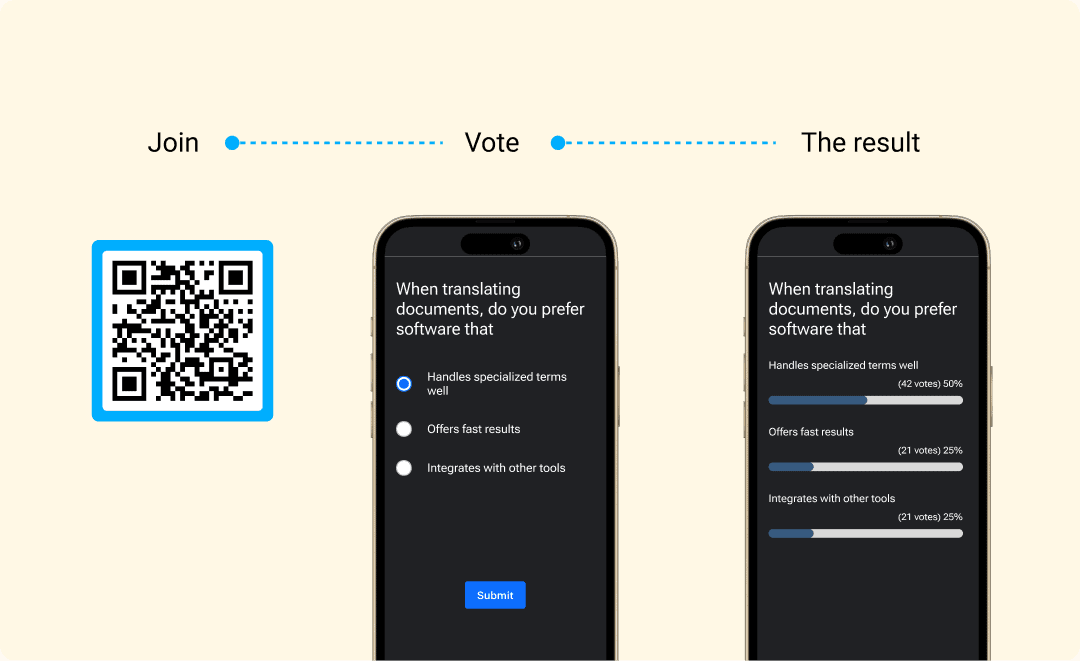
Vote from any device: Participants can scan a QR code or visit a URL to access the polls (without downloading an app) on their mobile, tablet, or desktop and vote in their preferred language online, in person, and hybrid.
Control access to polls: Limit voting access to only authorized participants via a ‘poll-enabled’ audience view link. Other attendees can still follow along with captions and translations via the non-voting audience view.
Get real-time results: Instantly see the poll results and present them in a clear and easy-to-understand format to your participants.
Know your audience with poll analytics
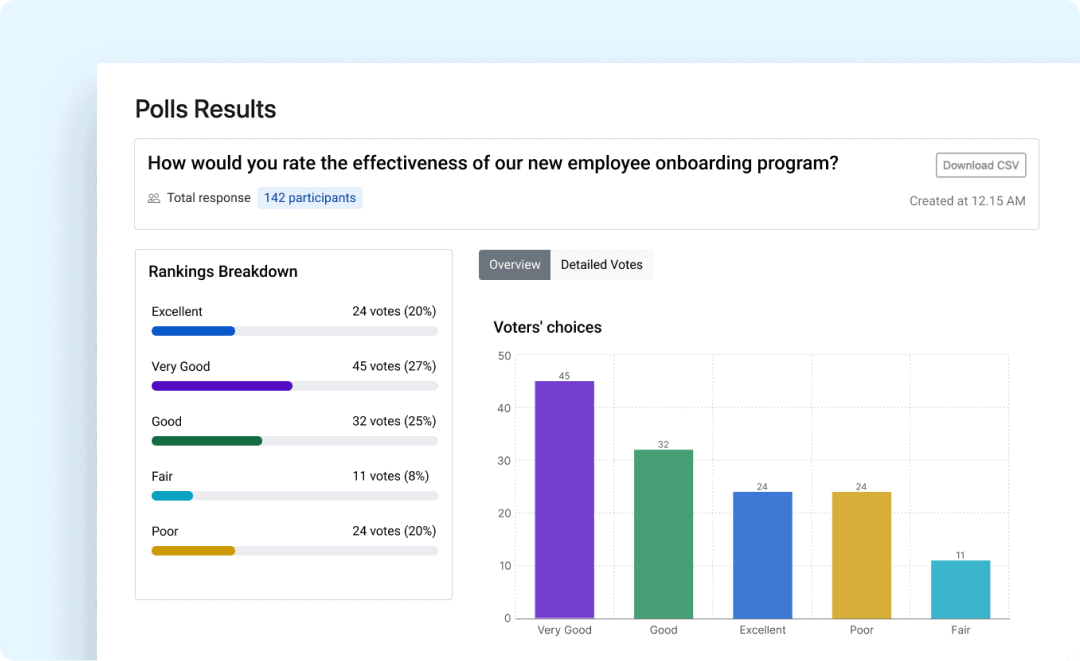
In-Depth Insights: See how your automatically translated polls perform and gain a clear overview of rankings by option, language breakdowns, and voter profiles. Turn your polls into a powerful tool for understanding diverse perspectives.
Effortless Reporting: Instantly download your poll results and voter analytics. This makes it easy to create reports, share insights with your team, and document your findings for future reference.
What our customer says
about Multilingual Polls
“
It makes voting so easy [and] convenient. I’m really grateful that we’re using this platform. [It’s] easy to count votes, easy to keep the meeting moving, and to incorporate in a hybrid model where we have people in person and online.
How to create and translate your polls
1
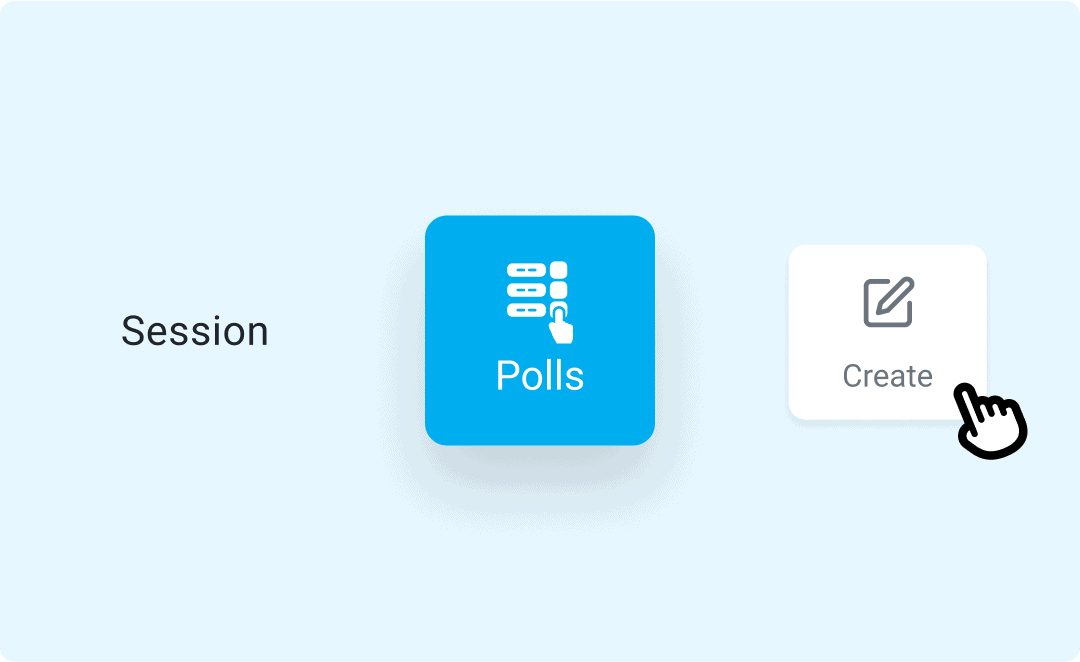
Go to your session and create a poll.
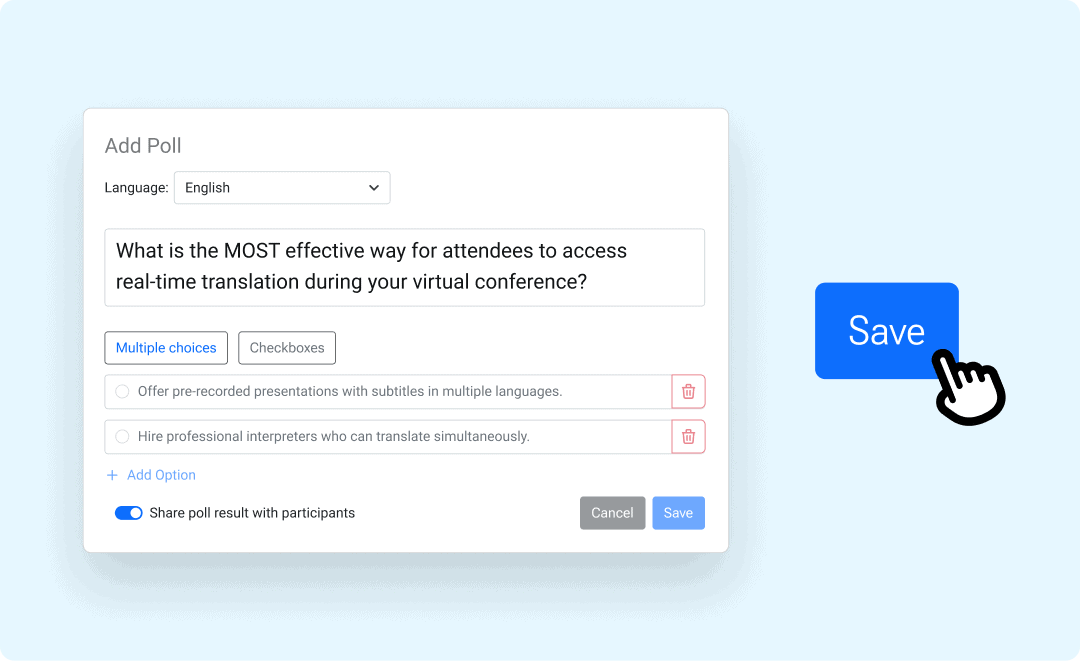
Select the poll’s source language and add your question or motion and options. Then, select the target languages and edit the translations.

Share the poll with your audience and start the voting session. Stop the session once people are done voting and see the real-time results.
How Multilingual Polls work in different types of event
Whether it’s an in-person, online, or hybrid event, everyone can easily vote in their language and have an engaging experience without any technical hassle.

In-person events
Instantly engage your audience with live voting on mobile devices. Participants see questions or motions, respond in their preferred language, and get results in real time without you having to manually count the votes.

Online events
Keep your virtual audience connected and involved with interactive polls. Participants can vote seamlessly from anywhere in the world, in their preferred language.

Hybrid events
Multilingual Polls help organizations with members who live far away from where in-person voting takes place to vote simultaneously and in real time.
Need translation services?
Request one of our post-editors to review and refine your multilingual polls.
Frequently Asked Questions
What makes spf.io’s AI-powered Multilingual Polls special?
Spf.io’s Multilingual Polls automatically translate questions and motions into multiple languages. Everything is browser-based–everyone can vote in their language through their mobile, tablet, or desktop by scanning a QR code or visiting a URL without downloading any app.
You can easily edit the translations and add your own entries to the autoreplacement database to fine-tune spf.io to your vocabulary. Once the voting session ends, you can instantly show the results to your audience.
What languages does spf.io support?
We support over 100 languages. Here’s the full list:
Abkhaz, Acehnese, Acholi, Afrikaans, Albanian, Alur, Amharic, Arabic, Armenian, Assamese, Awadhi, Aymara, Azerbaijani, Balinese, Bambara, Bashkir, Basque, Batak Karo, Batak Simalungun, Batak Toba, Belarusian, Bemba, Bengali, Betawi, Bhojpuri, Bikol, Bosnian, Breton, Bulgarian, Buryat, Cantonese, Catalan, Cebuano, Chichewa (Nyanja), Chinese (Simplified), Chinese (Traditional), Chuvash, Corsican, Crimean Tatar, Croatian, Czech, Danish, Dinka, Divehi, Dogri, Dombe, Dutch, Dzongkha, English, Esperanto, Estonian, Ewe, Fijian, Filipino (Tagalog), Finnish, French, French (French), French (Canadian), Frisian, Fulfulde, Ga, Galician, Ganda (Luganda), Georgian, German, Greek, Guarani, Gujarati, Haitian Creole, Hakha Chin, Hausa, Hawaiian, Hebrew, Hiligaynon, Hindi, Hmong, Hungarian, Hunsrik, Icelandic, Igbo, Iloko, Indonesian, Irish, Italian, Japanese, Javanese, Kannada, Kapampangan, Kazakh, Khmer, Kiga, Kinyarwanda, Kituba, Konkani, Korean, Krio, Kurdish (Kurmanji), Kurdish (Sorani), Kyrgyz, Lao, Latgalian, Latin, Latvian, Ligurian, Limburgan, Lingala, Lithuanian, Lombard, Luo, Luxembourgish, Macedonian, Maithili, Makassar, Malagasy, Malay, Malay (Jawi), Malayalam, Maltese, Maori, Marathi, Meadow Mari, Meiteilon (Manipuri), Minang, Mizo, Mongolian, Myanmar (Burmese), Ndebele (South), Nepalbhasa (Newari), Nepali, Northern Sotho (Sepedi), Norwegian, Nuer, Occitan, Odia (Oriya), Oromo, Pangasinan, Papiamento, Pashto, Persian, Polish, Portuguese, Portuguese (Portugal), Portuguese (Brazil), Punjabi, Punjabi (Shahmukhi), Quechua, Romani, Romanian, Rundi, Russian, Samoan, Sango, Sanskrit, Scots Gaelic, Serbian, Sesotho, Seychellois Creole, Shan, Shona, Sicilian, Silesian, Sindhi, Sinhala (Sinhalese), Slovak, Slovenian, Somali, Spanish, Sundanese, Swahili, Swati, Swedish, Tajik, Tamil, Tatar, Telugu, Tetum, Thai, Tigrinya, Tsonga, Tswana, Turkish, Turkmen, Twi (Akan), Ukrainian, Urdu, Uyghur, Uzbek, Vietnamese, Welsh, Xhosa, Yiddish, Yoruba, Yucatec Maya, Zulu
Would the translations be automatically updated if I edit the poll in the source language?
If you edit the question or options in the source language, it will automatically update the translation in other languages. To ensure that the translations are correct, you can select the target language, edit them, and save the changes.
Can I activate more than one poll within one session?
You’re only allowed to activate one question poll at a time for the audience. If you want to activate another question, you must first stop the currently active poll. You can also add another poll by clicking the Add Poll button and repeating the steps to create a poll.
How do I get started?
Fill out the Request a Demo & Quote form to schedule a discovery call. We’ll help you find the right solution through a needs assessment and tailor the features to your needs.
Maximize your event’s impact
Go beyond AI-powered multilingual polls. Explore what other spf.io tools can do to elevate your multilingual event further in one platform.

Automatic Captions & Translation
Deliver real-time captions and translations of live and pre-recorded speech in 100+ languages to the audience via big screens, mobile devices, or embedded on your website.

Audio Live Streaming
Stream audio interpretation and assistive listening directly to mobile devices without extra equipment. Supports remote simultaneous interpretation.

Audio Video Captions & Subtitles
Automatically generate captions, subtitles, and transcription to any audio and video recordings. Easily edit them to perfection and export the results into multiple formats.

Document Translation Portal
Quickly translate any documents needed for your event with higher accuracy. Easily manage multiple translations and track your team’s progress.

Slides Translation
Automatically translate slides into multiple languages and edit them as needed. Easily show translated slides on big screens and distribute them to people’s mobile devices.
Multilingual Conversations
Facilitate seamless conversations and collaborations in many languages during your event. Let people speak in their native languages through real-time captions and translation–online and in person.