
✦ All Solutions / Conferences
Conference translation and accessibility for your global audience
Host inclusive, accessible conferences with spf.io’s conference translation system. Engage your audience with seamless delightful experiences spanning captions, translation & interpretation, multilingual polls, accessible slides and more.









Why choose spf.io for conference translation?

Reach a global audience
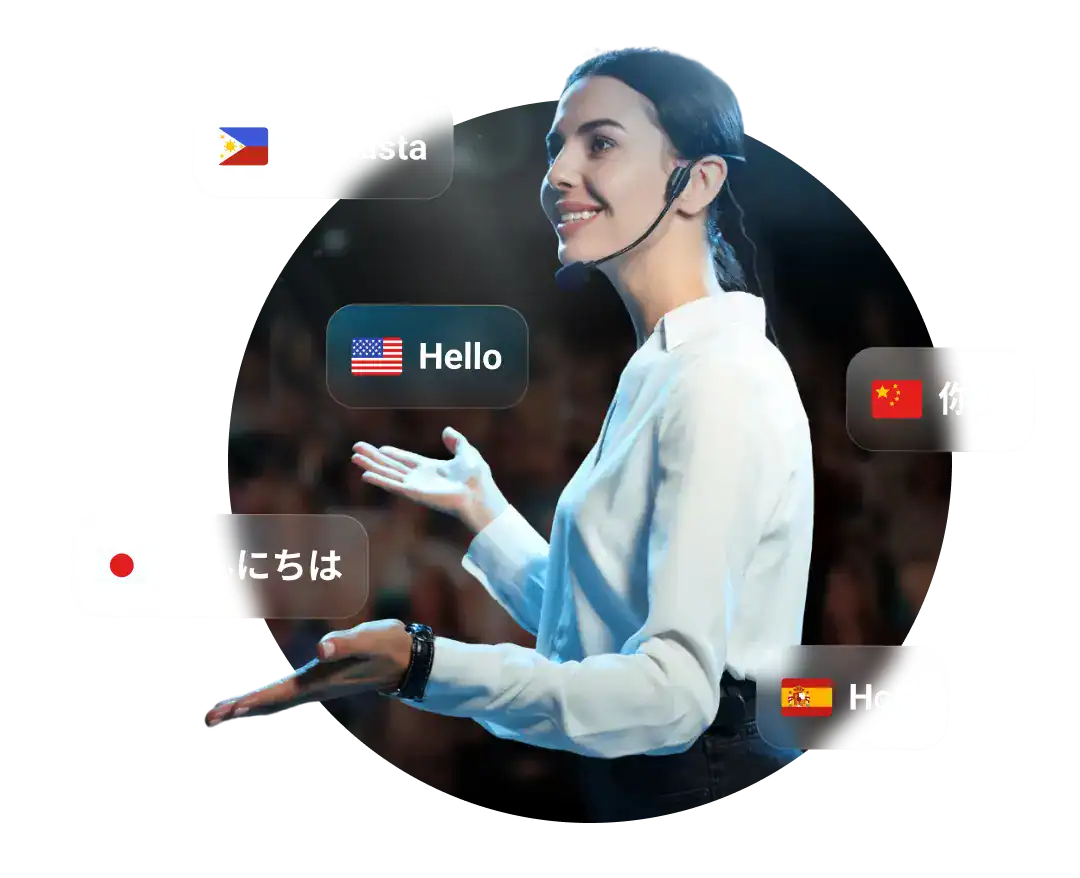
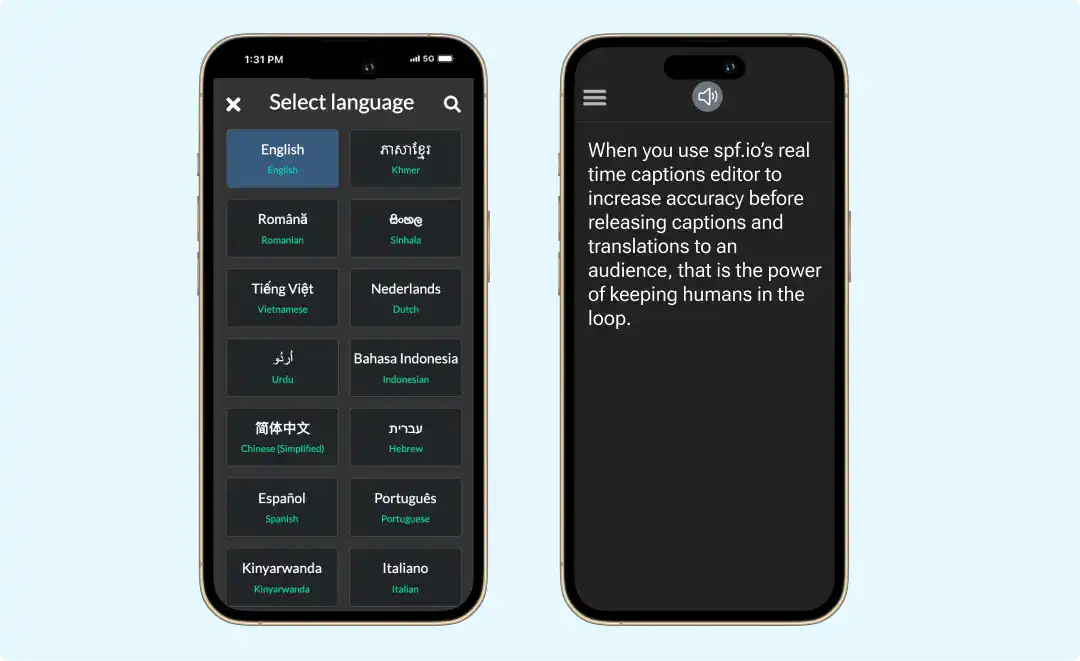
Provide live captions & translations, slides, audio, and polls in 100+ languages and ensure accessibility for people with disabilities.

Scale with ease
From 1 to 100,000 spf.io scales to support your entire audience in-person, online and hybrid. Integrate with your event app or website.

Save money, localize more
Spf.io automates captions and translation, media transcription, and more. Humans in the loop can enhance quality whenever needed.

Measure ROI
Track audience engagement across all features and use these insights to improve future events and increase return on investment.
Real-time conference translation in 100+ languages
Deliver live AI translation, captions, and audio for your keynote presentations, fireside chats, workshops, breakouts and more in 100+ languages. Display captions and translations on big screens and people’s mobile devices or embed them on your website, app, or live stream.
Stream spoken interpretation or assistive listening directly to people’s smartphones or embed it on your website and app without extra equipment. Ideal for people with vision or hearing loss, audiences in overflow rooms, and silent conferences.
Automatically translate your polls so people can vote in their own language for in-person, virtual, or hybrid voting sessions.
Simplify content translation & management
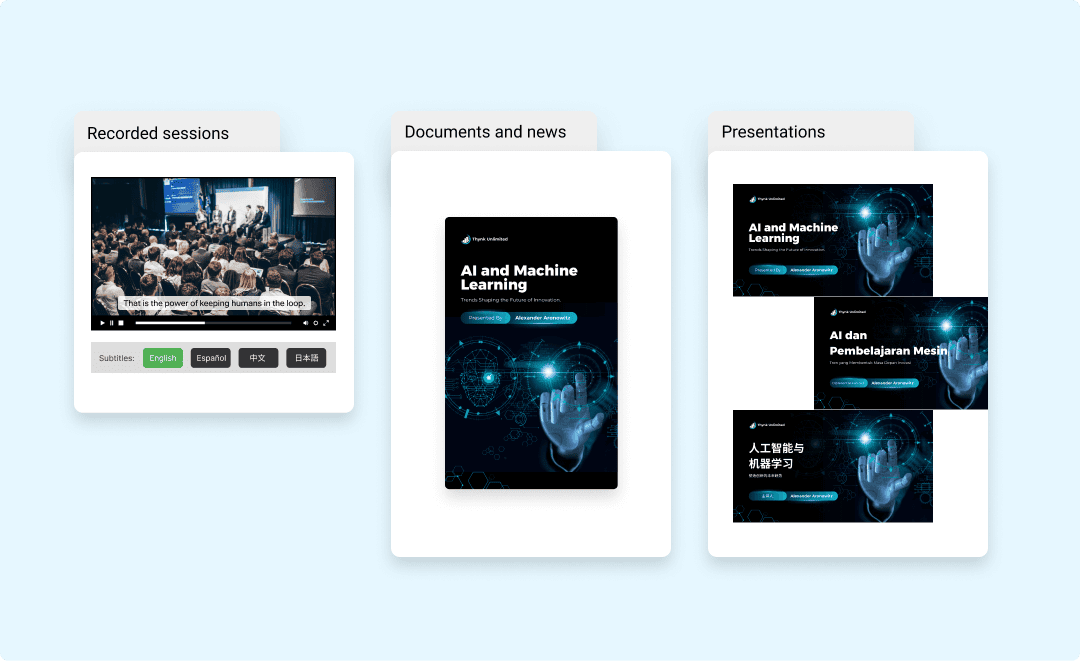
Easily add captions and subtitles to your audio and videos in many languages, all in one place. Edit them to perfection and export the results to multiple formats.
Automatically translate documents like articles, brochures, handouts, and training materials. Manage your content and translation team in one place.
Translate your slides into many languages with just a few clicks. Easily show slides on big screens and people’s mobile devices—all from one control.
Facilitate multilingual conversations and Q&As
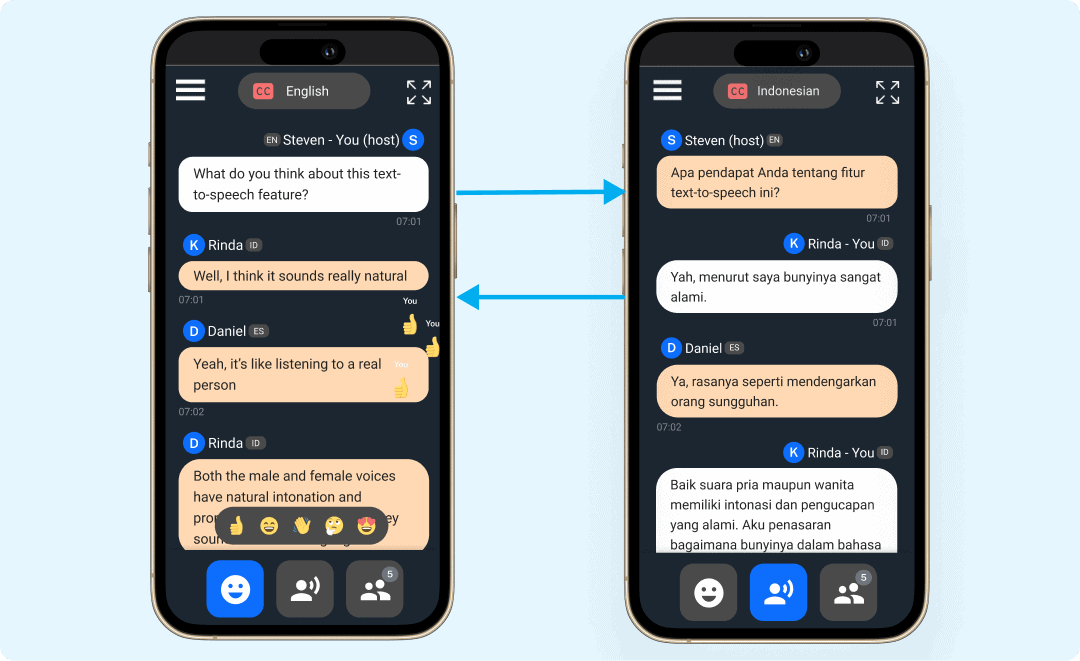
Converse with people in many languages online and in person through real-time captions & translations. Enable your team and audience to connect and collaborate seamlessly during networking events, Q&As, roundtables, breakout sessions, and more.
Fine-tune AI to your conference’s unique needs
Shape spf.io’s language AI to your organization’s needs.
We can build the models you need to deliver great multilingual events, content, and conversations.
AI Adaptation
Build custom AI models based on your organization’s needs.
Custom speech recognition
Train our AI to recognize and transcribe speech into text based on your speaker’s voice. Leverage your organization’s audio and text data to get more accurate and higher-quality transcriptions.
Adapted machine translation
Tailor machine translation to your specific domain. Train an AI model that imitates your translator’s style and corrections stored in the translation memory to produce translations that reflect the nuances of your organization’s content.
Custom voice replication
Replicate a speaker’s voice for narrations, public announcements, and personalized messages. Generate high-quality audio from any text using your custom voice model.
Vocabulary Fine-tuning
Fine-tune spf.io’s language AI to your organization’s vocabulary.
Improved Accuracy of Company-Specific Terms
Keyword Booster enhances speech recognition of company-specific terminology to get more accurate transcriptions.
Maintain Brand Consistency
Do Not Translate ensures specific words and phrases like your organization or client’s name are not translated into the target language in your transcriptions, media files, and conversations.
Safer Captions and Translations
Profanity Filter blocks any offensive, abusive, or profane words across many languages from appearing in your transcriptions.
Custom Glossary
Use the Autoreplacement Database to automatically replace incorrect variations of words or phrases for more accurate captions and translation.
Integrate with your existing platforms or apps
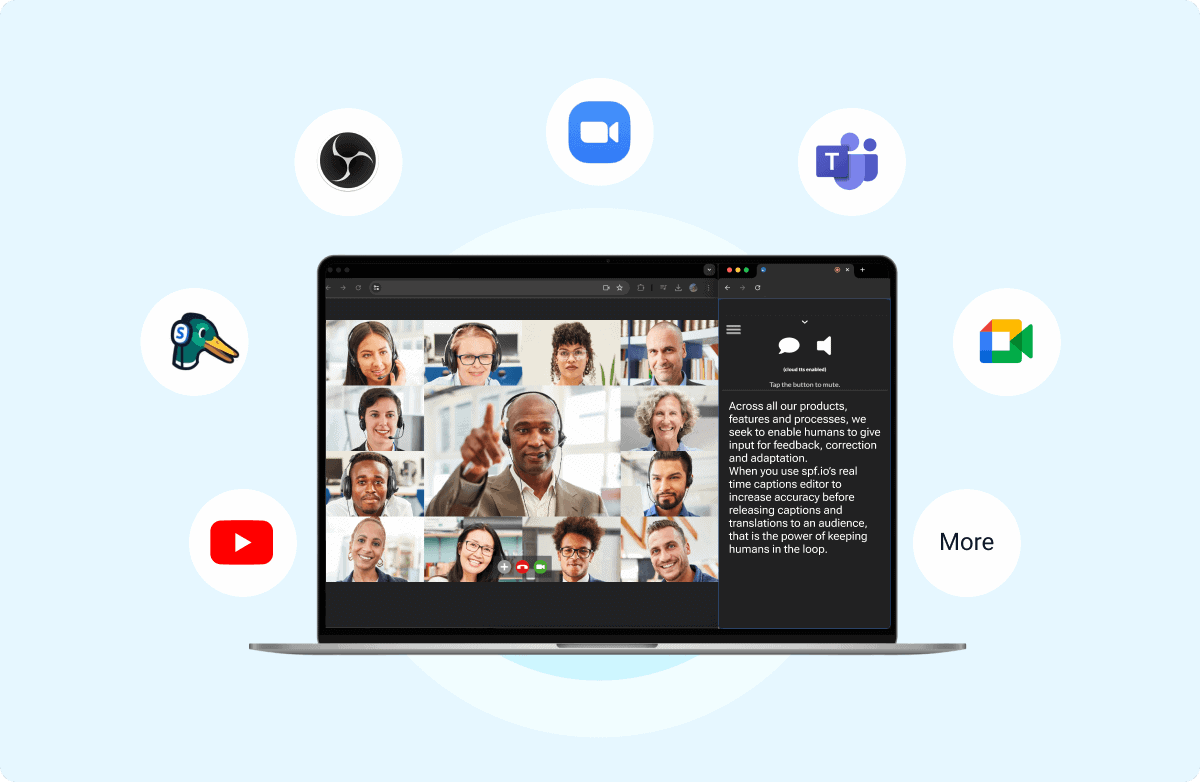
Embed spf.io in your conference app or website. Add live captions and translation to your online stream. We integrate with platforms and apps like Zoom, YouTube, OBS, Streamyard, and vMix to route the audio of multiple speakers into spf.io to generate captions through Cloud Loopback.
What our customers say about spf.io
“
How does conference translation work?
1
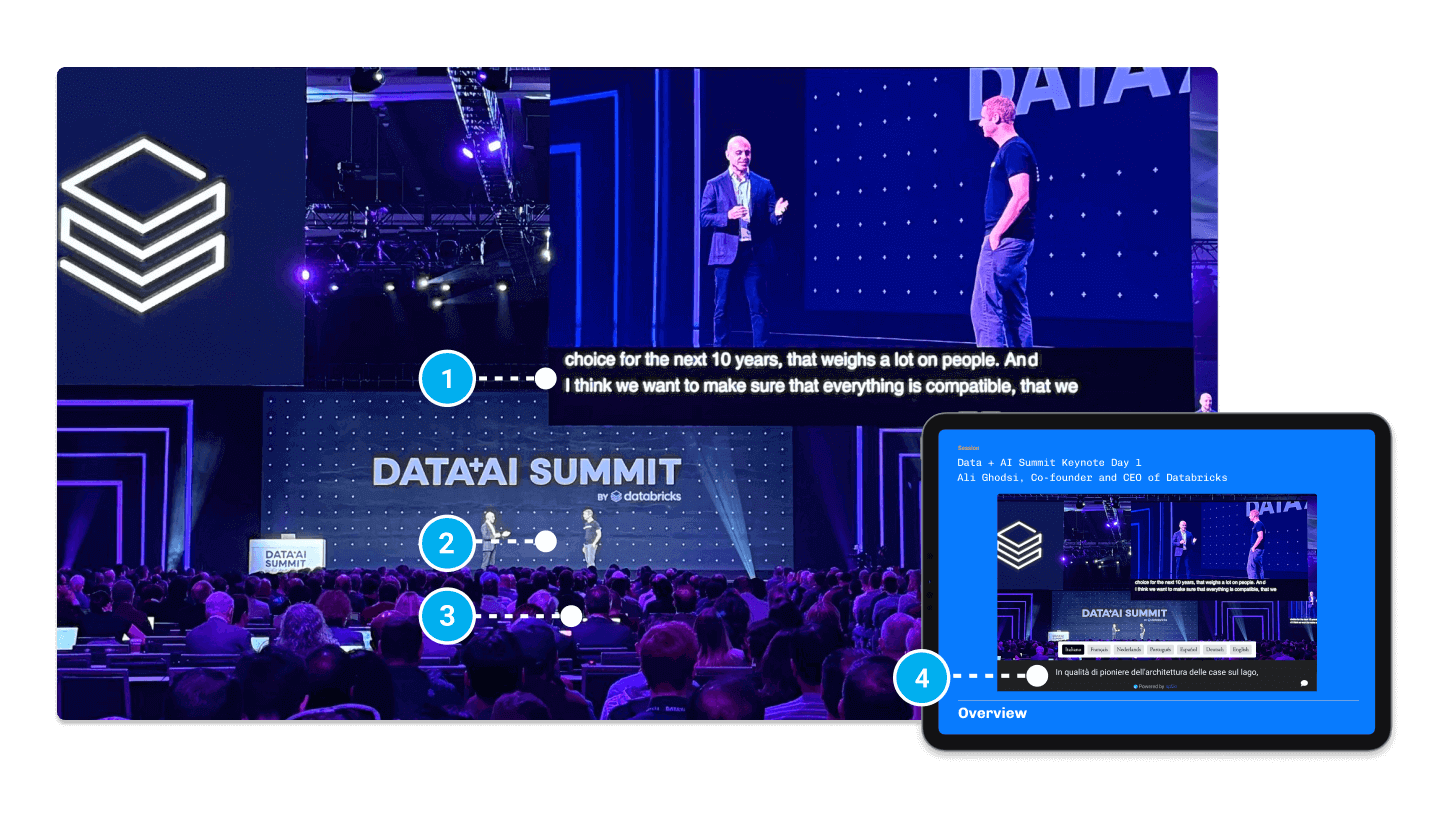
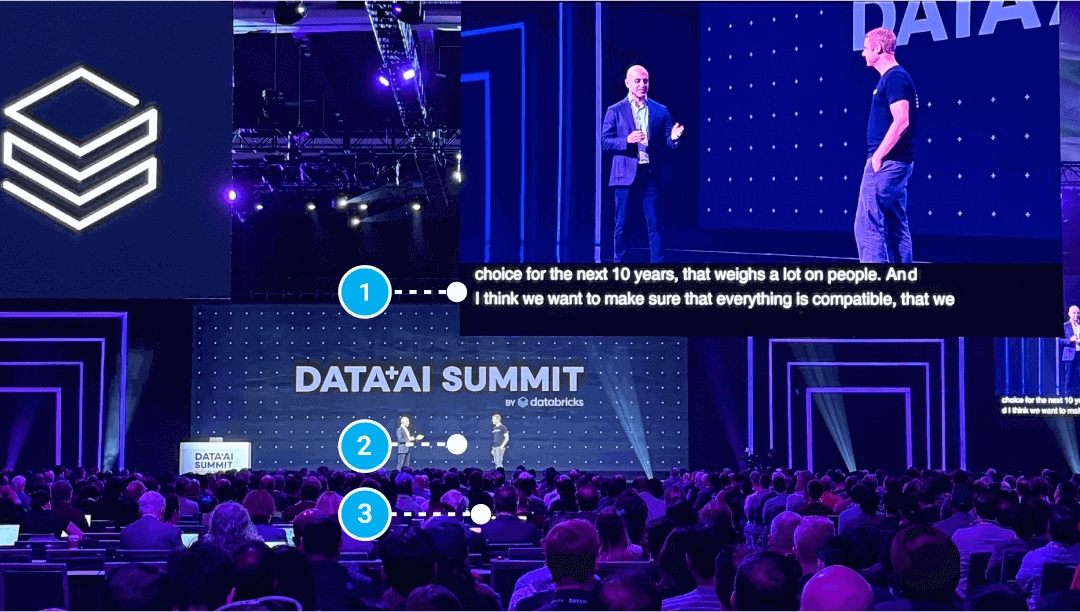
Speak freely or from a manuscript/teleprompter, or speak freely.
2
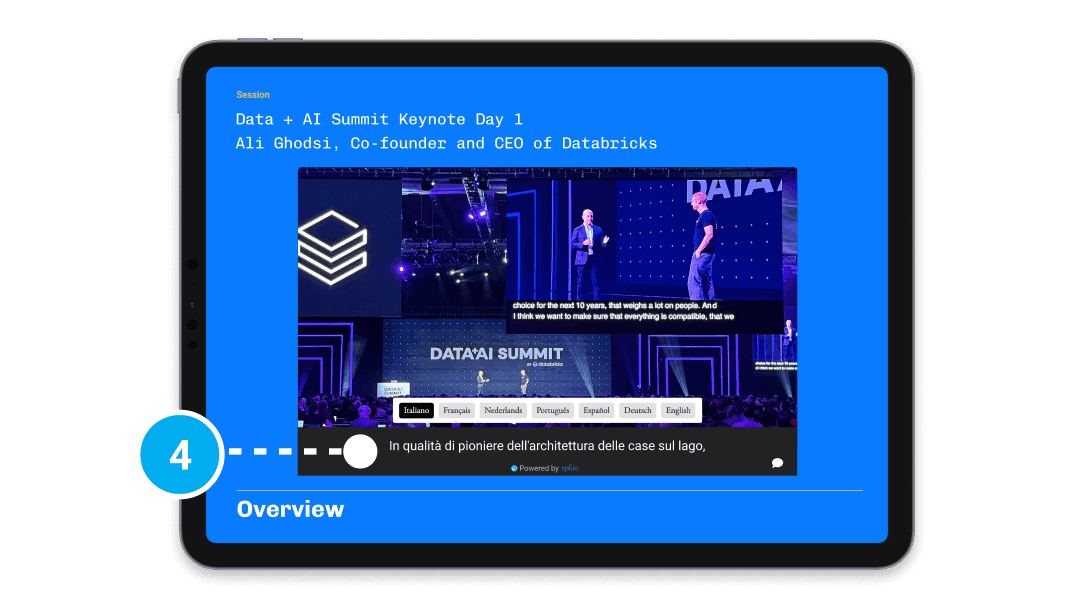
People can read captions, listen to translation, see slides in their language and easily share choice quotes to social media.
3
Projector views can show up to four translated languages and slides or videos.
4
Embed the audience view side-by-side with your live stream or as subtitles beneath the video on your website.
Add professional services to support your conference
Deliver a high-quality experience for your multilingual audience with additional services that support your organization’s needs.
- On-call Support & Remote Operators
- Professional Captioners & Interpreters
- Event Preparation & Tech Checks
- AI Customization
- Multilingual Strategy Consulting
- Translation & Transcription Services
Frequently Asked Questions
How much does spf.io cost?
Pricing plans start at $199/month. Fill out the Request a Demo & Quote form to schedule a call. We’ll help you find the right solution through a needs assessment and tailor our conference translation solution to your organization’s needs.
What makes spf.io different from other conference translation systems?
Spf.io is an all-in-one platform where you can find all the AI translation & accessibility tools you need in one place to make accessible and multilingual events, content, and conversations. Our platform can seamlessly integrate with your existing platforms or technology, reducing the costs of deploying additional equipment.
Unlike other translation & accessibility systems, spf.io is powered by “AI with a human touch,” so you can customize our AI features to simplify your efforts and enhance the results to fit your organization’s context. While powerful on their own, all tools elevate your translation and accessibility experience when used together.
Does spf.io require a tech person?
If you don’t have a tech person, we provide training for any of your staff members on how to set up and leverage our features for events, content, and conversations. A typical event only requires one to two people to operate spf.io. The most critical role to collaborate with is an audio engineer who can ensure high-quality audio is fed into spf.io.
We also provide optional professional services that range from providing captions and translations in real time to post-production of captions and subtitles on videos to developing custom AI models.
What languages does spf.io support?
We support over 100 languages. Here’s the full list:
Abkhaz, Acehnese, Acholi, Afrikaans, Albanian, Alur, Amharic, Arabic, Armenian, Assamese, Awadhi, Aymara, Azerbaijani, Balinese, Bambara, Bashkir, Basque, Batak Karo, Batak Simalungun, Batak Toba, Belarusian, Bemba, Bengali, Betawi, Bhojpuri, Bikol, Bosnian, Breton, Bulgarian, Buryat, Cantonese, Catalan, Cebuano, Chichewa (Nyanja), Chinese (Simplified), Chinese (Traditional), Chuvash, Corsican, Crimean Tatar, Croatian, Czech, Danish, Dinka, Divehi, Dogri, Dombe, Dutch, Dzongkha, English, Esperanto, Estonian, Ewe, Fijian, Filipino (Tagalog), Finnish, French, French (French), French (Canadian), Frisian, Fulfulde, Ga, Galician, Ganda (Luganda), Georgian, German, Greek, Guarani, Gujarati, Haitian Creole, Hakha Chin, Hausa, Hawaiian, Hebrew, Hiligaynon, Hindi, Hmong, Hungarian, Hunsrik, Icelandic, Igbo, Iloko, Indonesian, Irish, Italian, Japanese, Javanese, Kannada, Kapampangan, Kazakh, Khmer, Kiga, Kinyarwanda, Kituba, Konkani, Korean, Krio, Kurdish (Kurmanji), Kurdish (Sorani), Kyrgyz, Lao, Latgalian, Latin, Latvian, Ligurian, Limburgan, Lingala, Lithuanian, Lombard, Luo, Luxembourgish, Macedonian, Maithili, Makassar, Malagasy, Malay, Malay (Jawi), Malayalam, Maltese, Maori, Marathi, Meadow Mari, Meiteilon (Manipuri), Minang, Mizo, Mongolian, Myanmar (Burmese), Ndebele (South), Nepalbhasa (Newari), Nepali, Northern Sotho (Sepedi), Norwegian, Nuer, Occitan, Odia (Oriya), Oromo, Pangasinan, Papiamento, Pashto, Persian, Polish, Portuguese, Portuguese (Portugal), Portuguese (Brazil), Punjabi, Punjabi (Shahmukhi), Quechua, Romani, Romanian, Rundi, Russian, Samoan, Sango, Sanskrit, Scots Gaelic, Serbian, Sesotho, Seychellois Creole, Shan, Shona, Sicilian, Silesian, Sindhi, Sinhala (Sinhalese), Slovak, Slovenian, Somali, Spanish, Sundanese, Swahili, Swati, Swedish, Tajik, Tamil, Tatar, Telugu, Tetum, Thai, Tigrinya, Tsonga, Tswana, Turkish, Turkmen, Twi (Akan), Ukrainian, Urdu, Uyghur, Uzbek, Vietnamese, Welsh, Xhosa, Yiddish, Yoruba, Yucatec Maya, Zulu
Spf.io also supports speech-to-speech translation in more than 40 languages:
Afrikaans (South Africa), Arabic, Basque (Spain), Bengali, Bulgarian, Catalan (Spain), Chinese (Hong Kong), Czech, Danish, Dutch, English, Filipino, Finnish, French, Galician, German, Greek, Gujarati, Hebrew, Hindi, Hungarian, Icelandic, Indonesian, Italian, Japanese, Kannada, Korean, Latvian, Lithuanian, Malay, Malayalam, Mandarin Chinese, Marathi, Norwegian, Polish, Portuguese, Punjabi, Romanian, Russian, Serbian, Slovak, Spanish, Swedish, Tamil, Telugu, Thai, Turkish, Ukrainian, Urdu, Vietnamese.
What equipment do I need to use spf.io?
Here are the minimum technical equipment requirements to use spf.io:
- Processor: 1.6 GHz Dual-core CPU
- Memory: 4GB RAM / 4GB Free disk space
- Browser: Support for Google Chrome 80
- Operating System: Windows 10 or later, MacOS Mojave or later, or Chrome OS 90 or later
- Network: 1 Mbps download/upload Internet connection speed (when the network is in use during a live event). Test venue’s internet with an internet speed test.
- Audio: Ability to receive audio input over USB. Learn more about the audio setup here.
These requirements apply to spf.io operators, interpreters, and other producer roles.
Contact us if you have any questions about these requirements.
How does audio live streaming to overflow rooms work?
Simply connect your speaker’s microphone or audio input to spf.io. Your speaker or interpreter’s speech will be streamed in real-time to people’s mobile devices using our Audio Live Streaming or Cloud Text-to-Speech feature. Anyone in the overflow room can access the audience view by scanning a QR code or visiting the URL. They can plug in their headphones and listen to the audio in their preferred language on their mobile devices.
This approach is more hygienic and can reduce your costs effectively as you won’t need to provide and manage multiple headphones at your events. It also allows you to scale as your audience grows seamlessly.
Can you help with the hardware setup for my in-person conference?
Yes, we can find a partner to help with your hardware installation. Contact us to request this service.
Related Articles
Basics Conference 2025 in 8 languages: What We Learned from Translating 2024
Basics Conference 2025 will be translated live into 8 languages! Explore what we learned from 2024 and the changes we are making for 2025.
Live Event Translation at CES 2025
Discover how TPN partnered with spf.io to provide live event translation for the press at CES 2025 keynotes.

Corporate Event Accessibility @ Data + AI Summit (DAIS) 2024
Discover how TPN & spf.io partnered to enhance corporate event accessibility at Databricks’ Data + AI Summit 2024 with live captions.