
✦ All Features / Slide Translation
Slide translation for multilingual presentations
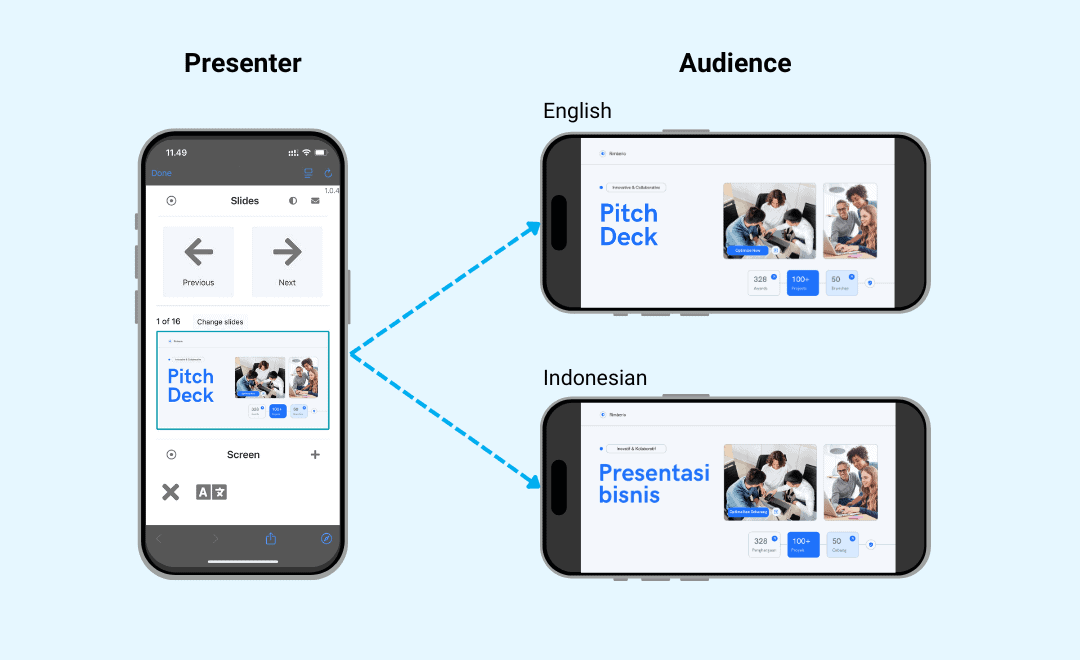
Seamlessly display your presentations on big screens, mobile devices, and live streams—everything stays perfectly in sync from a single control. Instantly translate slides into multiple languages and edit them as needed to enable your audience to follow along in their preferred language.

Make your slides accessible in any language
Automatically translate your slides and enable your audience to read them in their own language—right from their smartphones.

Easily manage translations
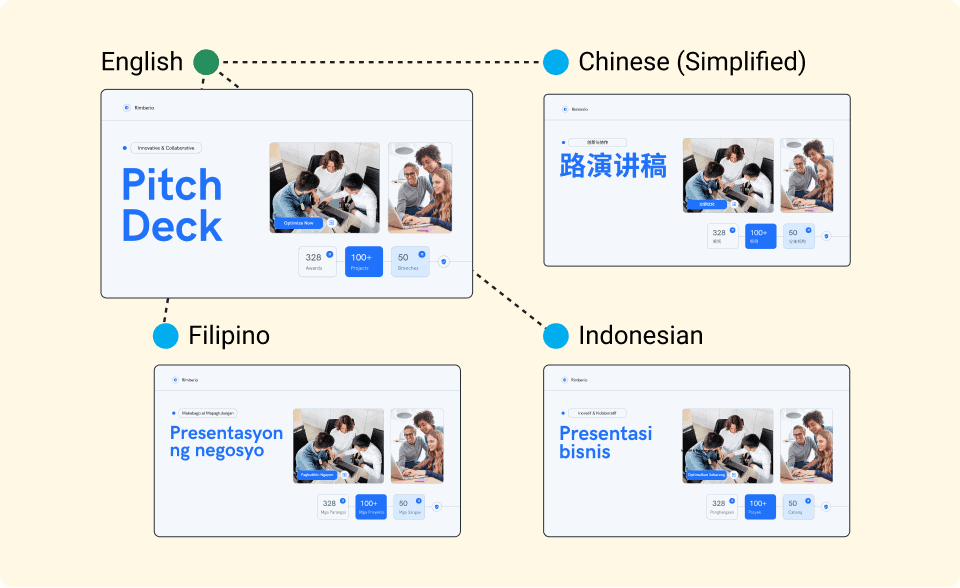
Never have to deal with multiple slide files again. Just have one source file in spf.io and manage each language individually.

Customize your AI
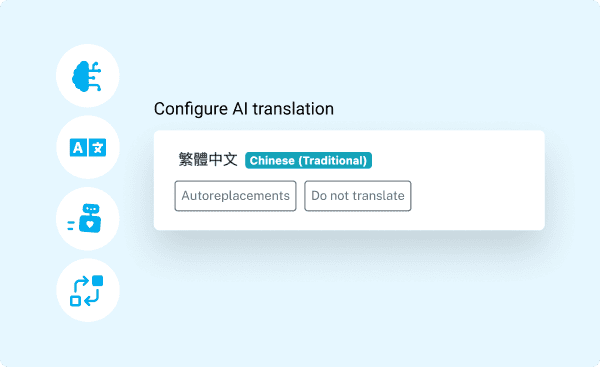
Enhance the accuracy of your slide translation by shaping spf.io’s language AI for your unique needs.

Display slides with subtitles
Assign your slides to your event session and easily show them on big screens or mobile devices along with captions or subtitles.
Accelerate slide translation
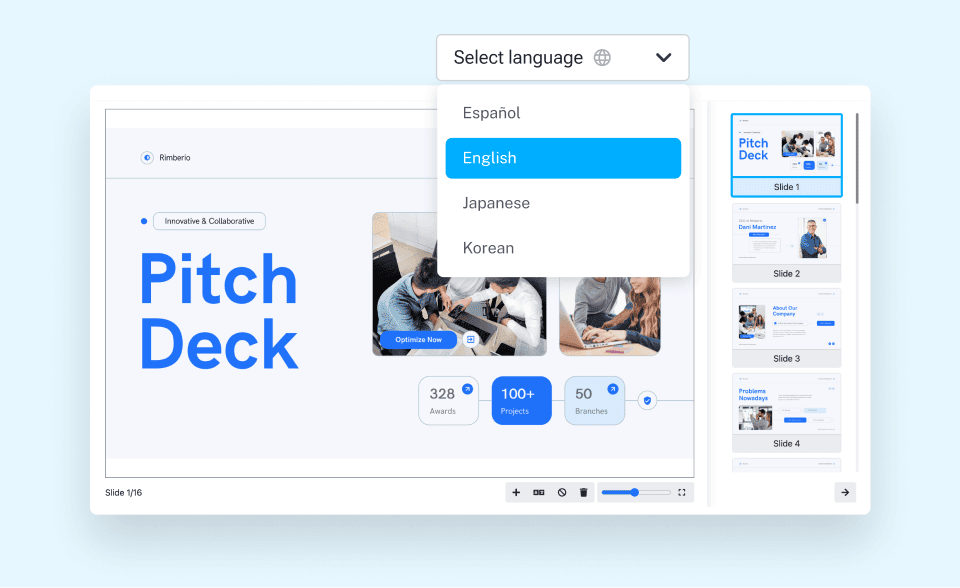
Automatic translation: Translate slides on demand into 80+ languages with just a few clicks. Easily edit or clear the translation, add existing slides, add images and videos, and delete a specific slide.
Translate slides in multiple formats: Upload and automatically translate your slides in PPTX or PDF format.
Streamline slide translation delivery & management
Multilingual presentation tool: Assign the slides to your event’s session and display them in many languages on big screens, mobile devices, and your live stream—all from one control. You can show subtitles at the top or bottom of the on-site screen and even display slides in a picture-in-picture format in your OBS live stream.
Translation management: Simplify handling translations of your slides into many languages—each translation is linked to its source so you can manage it as one logical unit.
Achieve higher accuracy with custom AI
Vocabulary fine-tuning: Autoreplacements and Do Not Translate enable you to fine-tune spf.io’s language AI to your vocabulary.
Adapted machine translation: Train a custom AI model that imitates your translator’s style and corrections stored in the translation memory to produce translations that reflect the nuances of your content.
Testimonial
This software really helps me connect to those students who struggle with English in my lectures, and helps them understand course concepts on a deeper level.
Dr. William Mari
Assistant Professor, Northwest University
How it works
How to present multilingual slides
1
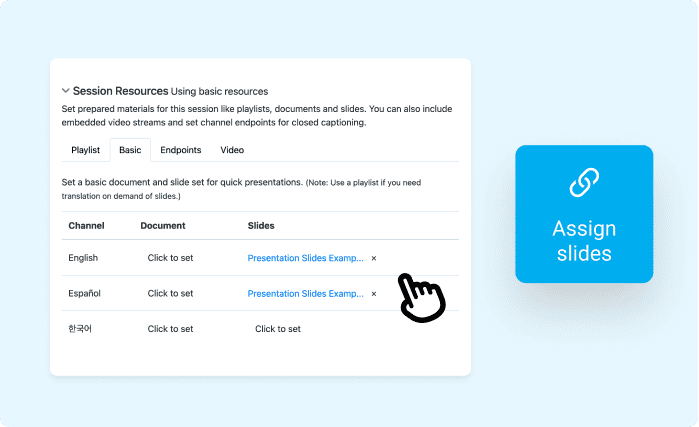
Assign the slides to your session. You can also upload your own translated slides.
1
Assign the slides to your session. You can also upload your own translated slides.
2
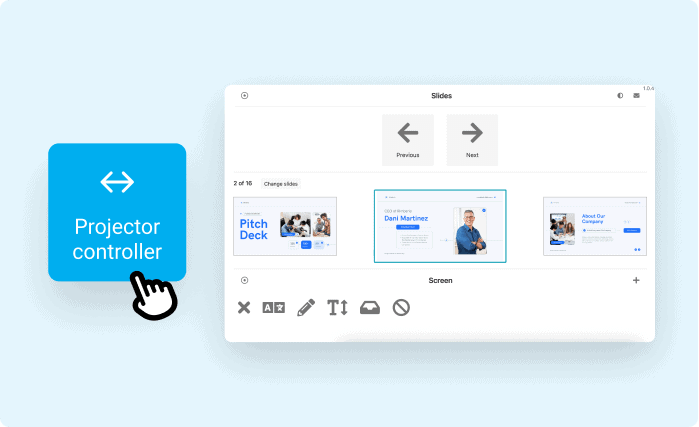
Open the projector controller and release your slides from a single control.
2
Open the projector controller and release your slides from a single control.
3
Your slides can be displayed on a big screen, mobile devices, or your live stream. Attendees can select their language and see the translated slides on their smartphones.
3
Your slides can be displayed on a big screen, mobile devices, or your live stream. Attendees can select their language and see the translated slides on their smartphones.
How to translate slides
1
Upload your slides file to spf.io.
1
Upload your slides file to spf.io.
2
Translate it to the target language.
2
Translate it to the target language.
3
Review and edit the translation to your desired result.

3
Review and edit the translation to your desired result.
After you refine the translation, you can download and share the slide file with your peers.
Frequently Asked Questions
What differentiates spf.io’s Slides Translation from Google Translate and other free translation tools?
Spf.io’s multilingual presentation tool goes beyond basic text translation, offering a seamless way to display slides in multiple languages—with just one click. Unlike generic translation tools, spf.io eliminates the need to manually copy-paste text or manage separate slide decks for each language. Simply upload and automatically translate your file, and spf.io lets you present seamlessly on big screens, mobile devices, or live streams in multiple languages—all from a single source.
Additionally, spf.io allows you to review and edit automatic translations, and these corrections help improve future translations. The system automatically applies your edits to the rest of your file and future slides, saving you significant time. The more you use spf.io, the more it adapts to your specific domain and content, resulting in increasingly higher accuracy.
What languages does spf.io support?
We support over 80 languages for slides translation:
|
Albanian |
Croatian Czech Dutch English Estonian Filipino French Galician German Greek Gujarati Haitian Creole Hebrew Hungarian Indonesian Italian Javanese Khmer Korean Kurdish (Kurmanji) |
Kyrgyz Lao Latin Lithuanian Macedonian Malayalam Malaysian Maori Mongolian Myanmar (Burmese) Nepali Norwegian Pashto Persian Polish Portuguese Punjabi Romanian Russian Samoan |
Serbian Sinhala Slovak Slovenian Somali Spanish Sundanese Swahili Swedish Tajik Tamil Telugu Thai Tigrinya Turkish Ukrainian Urdu Uyghur Uzbek Vietnamese |
Does spf.io preserve the layout or formatting of my original slide file after I translate it?
Yes, Slides Translation maintains your original layout, including the placement of text, images, videos, and tables. Once you finish reviewing the translations, you can download your multilingual slides as a PDF file.
How do I display captions or subtitles along with my slides on a big screen?
You need to create a session in spf.io, select your languages, and assign your slides there. To display overlay captions over slides, you can only show one language (only those with access to the audience view can see the slides in many languages). You can also display captions at the top or bottom of the screen to prevent interrupting your visual content. Once you set all this up, you can test-run the output of slides in the projector controller and the captions output using the Speaker View or Operator View.
Follow this guide on how to display output on a big screen or extra display.
Disclaimer: If you want to provide live captions and translation while presenting your multilingual slides, you must subscribe to our basic Automatic Captions & Translation (ACT) plan and add Slide Translation as an add-on. You can subscribe to the Document Translation Portal (DTP) plan if you only need the slide translation capability.
Contact us for more information on our subscription plans.
How many team members can collaborate with me?
Spf.io is priced on usage levels rather than per user. This means you can invite as many collaborators as you need to post-edit the translations of your slides.
We built it this way because we believe in community-sourced translation. Many organizations need to make their content available in many languages. To make that affordable, we empower communities with the tools they need to distribute the work among their own staff, volunteers, and members.
Each translation is linked to its source, allowing you to manage it as one logical unit. Your translators or team members can easily review and edit the translation for each target language.
These collaborative features save a lot of time and effort and make delegating work throughout your community a joy rather than a pain.
How do I get started?
Fill out the Request a Demo & Quote form to schedule a discovery call. We’ll help you find the right solution through a needs assessment and tailor the features to your needs.
Reach a wider audience with your multilingual content
Go beyond AI-powered slide translation. Explore what other spf.io tools can do to elevate your multilingual content further in one platform.

Automatic Captions & Translation
Deliver real-time captions and translations of live and pre-recorded speech in 100+ languages to the audience via big screens, mobile devices, or embedded on your website.

Audio Live Streaming
Stream audio interpretation and assistive listening directly to mobile devices without extra equipment. Supports remote simultaneous interpretation.

Multilingual Polls
Automatically translate questions and motions into many languages. Increase engagement and empower your audience to vote in their own language through mobile devices—in person, virtual, or hybrid.

Audio Video Captions & Subtitles
Automatically generate captions, subtitles, and transcription to any audio and video recordings. Easily edit them to perfection and export the results into multiple formats.

Document Translation Portal
Quickly translate any documents needed for your event with higher accuracy. Easily manage multiple translations and track your team’s progress.
Multilingual Conversations
Facilitate seamless conversations and collaborations in many languages during your event. Let people speak in their native languages through real-time captions and translation–online and in person.