
Increase the impact of your message.
Reach your audience like never before by communicating your talk in their language. You don’t have to prepare extensively to provide a great multilingual experience. Any prepared materials can be loaded into spf.io before the event. Connect your microphone to spf.io and deliver captions and translations as you speak. Attendees get translation by viewing the projector screen or visit the event URL on their own mobile devices. It’s that simple.
Ready for Anything
Convenient Display
Single Control
How It Works
Single Control
Set up the device that will control the display of translations and slides.
Connect a microphone
to spf.io for automatic captions and translation.
Projectors
Show up to 3 languages on a single projector.
Mobile Devices
Your audience visits the event URL to receive translation.
Ready to try it out?
Related Articles

Change Text-to-Speech Voice Gender Instantly During Live Sessions
Change text-to-speech voice gender on the fly to match each speaker so your audience can easily follow who’s speaking.

Private Live Translation: Audio-Only Mode & Access Codes for Internal Events
Worried about data leaks? Discover how spf.io’s Private Live Translation uses generated Access Codes and Audio-Only mode to protect sensitive internal events.

Distinct AI Interpreter Voices: Bring Clarity to Multilingual Conversations
Make multilingual conversations clearer with distinct AI interpreter voices that help listeners easily tell speakers apart across languages.

Make Presentations More Accessible with spf.io’s Zoom-In Feature
Spf.io’s Audience View now includes a zoom-in feature, ensuring every slide detail is clear for every audience—online or in-person.

Introducing Custom Theme Branding: Keep Your Multilingual Events Perfectly on Brand
Ensure brand consistency at multilingual events with spf.io’s Custom Theme Branding. Deliver a professional, seamless translation experience.
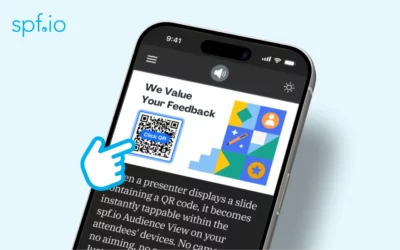
Stop Scanning, Start Tapping: Interactive QR Codes in spf.io
It’s a familiar moment in any presentation: a speaker shares a slide with a QR code, directing the audience to a website, a feedback form, or a resource page. What follows is equally familiar—a room full of people fumbling for their phones, awkwardly trying to scan a...
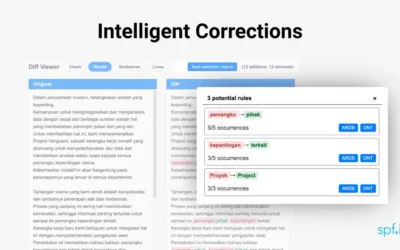
Your Edits Just Got Smarter: Spf.io automatically discovers translation edit rules from your work
Tired of the repetitive-edit loop? Discover how spf.io’s new AI feature automatically learns from your edits to create automated translation rules. Save time, ensure consistency, and perfect your workflow.

6 Ways The Google Ad Grant Can Grow Your Church’s Multilingual Ministry
Unlock the power of the Google Ad Grant for churches by downloading our free guide! Reach new communities & grow your multilingual ministry this year.

Customize and Capitalize Your Captions
Enhance event accessibility with the capitalize captions feature and adjust their position in the projector view.

Simplify Collaboration with Document Comments
Simplify collaboration with the new document comment feature. Leave precise feedback and refine translations faster with your team.